Applied on:


Microsoft Dynamics® Ax 2009 & AX 2012 .
Target audience:
This article is for Ax Technical persons.
This article is for Ax Technical persons.
About this article:
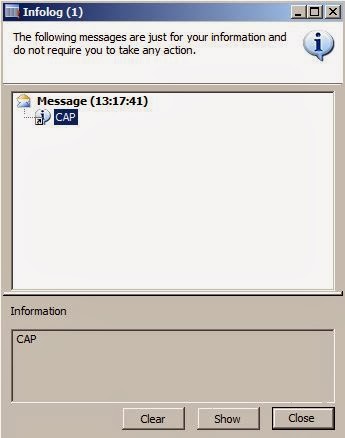
Most of the time when we create / update / manipulate record, in general the record we display in an info log to inform end user. It’s easy for end user to open and see the record from info log dialog using a show button or by double click on the message.
Most of the time when we create / update / manipulate record, in general the record we display in an info log to inform end user. It’s easy for end user to open and see the record from info log dialog using a show button or by double click on the message.
This article Helps to know :
How to display Show button on info log dialog in Microsoft Dynamics® Ax 2009 /AX 2012.
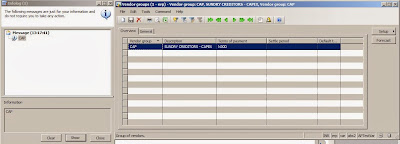
Double click on info log message and open the record in Microsoft Dynamics® Ax 2009/
AX 2012.Pass record to the info method, display Show button on info log dialog and open the form with current record in Microsoft Dynamics® Ax 2009/AX 2012.Directly open record from info dialog / form in Microsoft Dynamics® Ax 2009/AX 2012.
Below is job which shows a vendor Group in info log dialog and if you double click on the vendor Group it will open the vendor Group detail form.